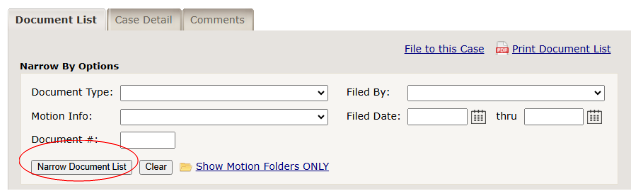
The "Document List" tab shows all the documents that have been filed into the case you are viewing. You can sort the Document List by the following categories:
- Document Type
- Document #
- Status
- Receive Date
- Filing User
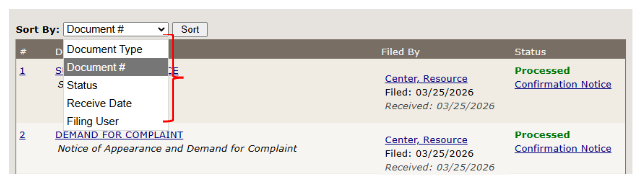
To navigate your document list, follow the steps below:
Your document list shows the document number, document type, the filed
and received date, filing user the status of your document. To view an image of any document appearing on the list, simply click on
the document type, such as "SUMMONS + COMPLAINT", and an image of the document will pop-up in a separate window. However,
if the document has been returned for correction, you will not be able to view an image of the document.
To narrow your document list, click on one of the series of options that you world like your document list narrowed by. Complete at
least one field and then click on the "Narrow Document List" button circled below.